How to Increase Typing Speed from 40 to 100 WPM
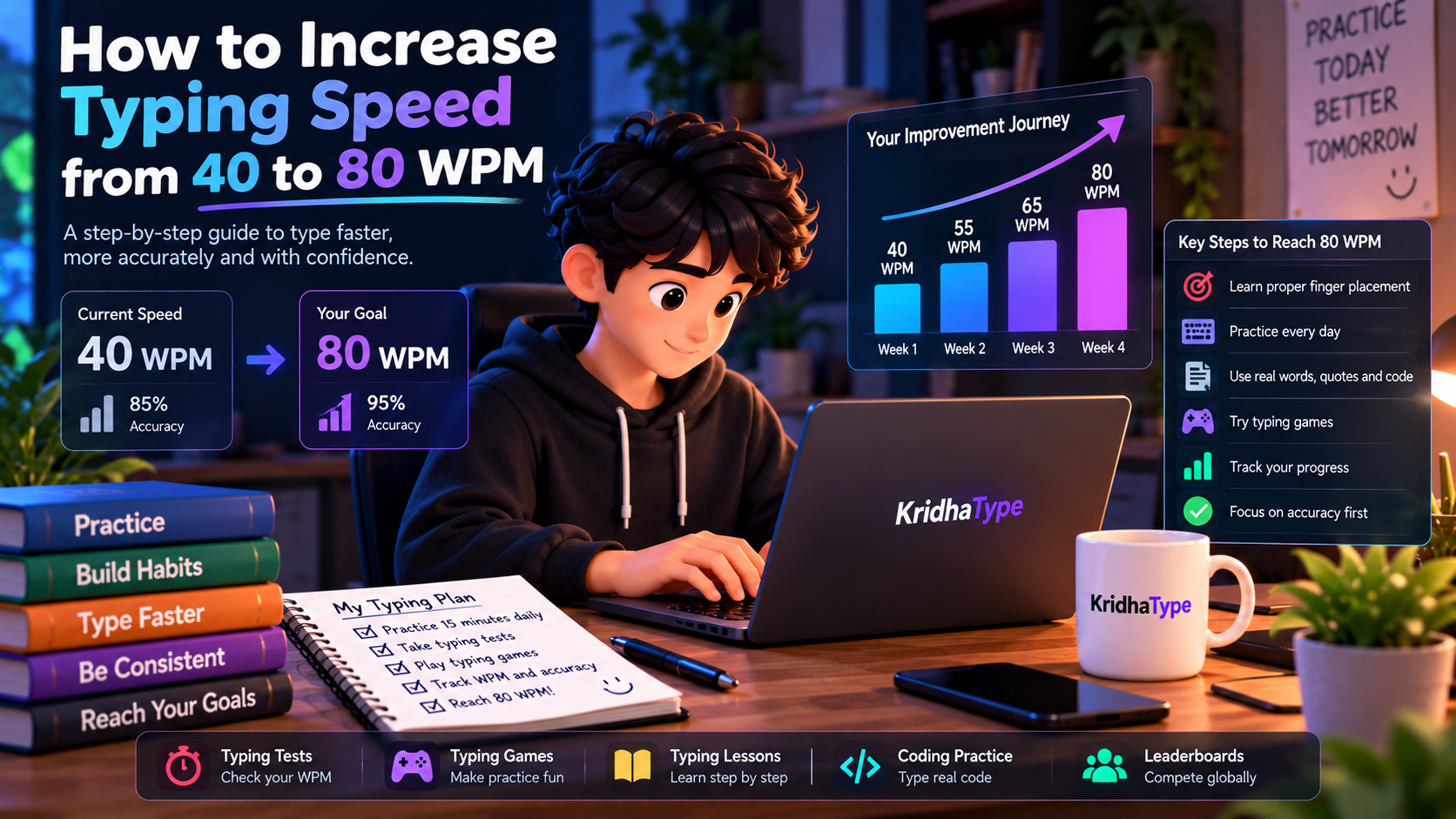
Table of Contents
- Table of Contents
- 1. Understand Your Current Typing Speed
- 2. Is It Possible to Go from 40 to 80 WPM?
- 3. Learn Proper Touch Typing
- 4. Focus on Accuracy Before Speed
- 5. Follow a Daily Typing Practice Routine
- 6. Five Exercises to Improve Your Typing Speed
- 7. Your Four-Week Typing Improvement Plan
- 8. Common Mistakes That Slow Down Your Typing
- 9. Improve Your Typing Speed with KridhaType
- Frequently Asked Questions
- Your Journey from 40 to 80 WPM Starts Today
How to Increase Typing Speed from 40 to 80 WPM
Are you currently typing at 40 WPM and want to reach 80 WPM? Improving your typing speed is a great goal, whether you are a student, developer, writer, or someone who spends a lot of time working on a computer.
Going from 40 to 80 words per minute may seem difficult at first, but with the right techniques and consistent practice, you can gradually improve your typing speed and accuracy. The secret is not simply pressing keys faster. It is learning correct finger placement, building muscle memory, reducing mistakes, and developing a consistent typing rhythm.
In this guide, you will learn how to improve your typing speed, which exercises to practice, how much time to spend each day, and how to track your progress using KridhaType.
1. Understand Your Current Typing Speed
Before trying to improve your typing speed, you should understand your current performance. A typing speed of 40 WPM means you can type approximately 40 standardized words per minute.
WPM stands for Words Per Minute. It is a common measurement used by online typing tests to calculate how quickly someone can type.
However, typing speed is not the only thing you should measure. Your accuracy is equally important because frequent mistakes can slow you down and affect your overall performance.
For example, consider these two results:
| Typing Performance | WPM | Accuracy |
|---|---|---|
| Typist A | 40 | 96% |
| Typist B | 50 | 82% |
Typist B is faster, but Typist A is more accurate. Your goal should be to increase your speed while maintaining good accuracy.
Start by taking a free online typing test and recording your WPM and accuracy. This will give you a starting point for measuring your improvement.
2. Is It Possible to Go from 40 to 80 WPM?
Yes, improving from 40 to 80 WPM is a realistic goal for some typists, but the time required depends on your current technique, accuracy, practice routine, and consistency.
If you currently type using only a few fingers, learning proper touch typing can make a big difference. If you already use all ten fingers, you may need to focus more on rhythm, difficult key combinations, and reducing unnecessary pauses.
Here is an example of a gradual improvement roadmap:
| Stage | Target Speed | Main Focus |
|---|---|---|
| Starting Point | 40 WPM | Measure current performance |
| Stage 1 | 45–50 WPM | Accuracy and finger placement |
| Stage 2 | 55–60 WPM | Consistency and muscle memory |
| Stage 3 | 65–70 WPM | Rhythm and fewer mistakes |
| Final Goal | 75–80 WPM | Speed with accuracy |
These stages are practice milestones, not a guaranteed four-week result. Some people may reach them quickly, while others may need several months of consistent work.
3. Learn Proper Touch Typing
One of the most effective ways to improve your typing technique is to learn touch typing.
Touch typing means typing without constantly looking down at the keyboard. Instead of searching for each key, your fingers learn their positions through repeated practice.
Start with the Home Row
The home row is the starting position for your fingers on a standard QWERTY keyboard.
Left Hand:  A S D F
Right Hand: J K L ;
Place your left-hand fingers on A, S, D, and F. Place your right-hand fingers on J, K, L, and the semicolon key.
Your index fingers should rest on F and J. These keys usually have small raised marks that help you find the correct position without looking.
Use the Correct Fingers
Each finger is responsible for a specific group of keys. Avoid using the same finger for every key just because it feels comfortable at first.
Correct finger placement helps reduce unnecessary hand movement and makes it easier to build consistent typing habits.
Stop Looking at Your Keyboard
Looking down every few seconds interrupts your typing rhythm. Try practicing without looking at your hands, even if you need to slow down initially.
4. Focus on Accuracy Before Speed
One common mistake is trying to type as quickly as possible from the beginning. This often leads to more errors, unnecessary backspaces, and inconsistent results.
Instead, focus on typing correctly at a comfortable speed. Once you can maintain good accuracy, gradually increase your pace.
How to Improve Typing Accuracy
- Look at the displayed text instead of your keyboard.
- Use the correct fingers for each key.
- Pay attention to punctuation and capitalization.
- Avoid rushing through unfamiliar words.
- Review the mistakes you make after each test.
- Practice difficult letter combinations separately.
A consistent typing speed with fewer mistakes is more useful than a high WPM result that you cannot maintain.
5. Follow a Daily Typing Practice Routine
You do not need to spend hours every day practicing typing. A short and focused routine can help you develop better habits.
Here is a simple 30-minute daily routine:
| Practice Activity | Duration | Purpose |
|---|---|---|
| Home-row warm-up | 5 minutes | Build finger control |
| Typing test | 5 minutes | Measure WPM and accuracy |
| Word and sentence practice | 10 minutes | Improve typing flow |
| Weak-key practice | 5 minutes | Reduce common mistakes |
| Final typing test | 5 minutes | Review performance |
If you have limited time, even a shorter focused session can be useful. The important thing is to practice regularly and review your results.
6. Five Exercises to Improve Your Typing Speed
Exercise 1: Common Word Practice
Practice frequently used English words to become more comfortable with common letter combinations.
the quick brown fox
people work every day
practice makes progress
learn something new today
typing skills improve with time
Focus on smooth movements instead of trying to complete every line as quickly as possible.
Exercise 2: Difficult Letter Combinations
Some letter combinations can feel more difficult because they require different finger movements. Practice them separately.
tion  ing  ment  able
quick  world  keyboard
strength  problem  different
through  language  development
Exercise 3: Number and Symbol Practice
Numbers and special characters are important for everyday typing, especially when working with spreadsheets, passwords, and programming.
1234567890
10 + 25 = 35
price = 99.99
score = 850
(100 * 2) / 50
Exercise 4: Paragraph Typing Practice
Typing individual words is useful, but you should also practice complete sentences and paragraphs. This helps you become more comfortable with punctuation, spaces, and capitalization.
Improving your typing speed takes time and
consistent practice. Start with accuracy, learn
proper finger placement, and gradually increase
your speed as you become more comfortable.
Exercise 5: Timed Typing Challenges
Take a one-minute typing test and try to maintain a steady pace from beginning to end.
Once you become comfortable, try longer tests such as two or five minutes. Longer tests can help you understand whether you can maintain your typing rhythm over time.
7. Your Four-Week Typing Improvement Plan
A structured practice plan makes it easier to stay consistent. Here is a sample four-week routine for someone starting around 40 WPM.
Week 1: Build a Strong Foundation
- Practice correct home-row finger placement.
- Work on typing without looking at the keyboard.
- Practice common words and short sentences.
- Measure your starting speed and accuracy.
Weekly goal: Develop more comfortable finger movements and reduce unnecessary mistakes.
Week 2: Improve Consistency
- Continue daily typing exercises.
- Practice complete sentences and paragraphs.
- Identify your most difficult keys.
- Try different typing test durations.
Weekly goal: Maintain a steady typing rhythm and improve accuracy.
Week 3: Increase Your Typing Speed
- Try short speed-focused typing challenges.
- Practice common letter combinations.
- Work on numbers and punctuation.
- Review your WPM and accuracy after each session.
Weekly goal: Gradually increase your speed without losing control of your typing.
Week 4: Test Your Progress
- Take several timed typing tests.
- Practice longer paragraphs.
- Focus on your remaining weak areas.
- Compare your results with your starting point.
Weekly goal: Build a consistent typing routine and work toward your next speed milestone.
Remember, reaching 80 WPM in four weeks is not guaranteed. Treat this as a starting plan and extend it if you need more time.
8. Common Mistakes That Slow Down Your Typing
Using Only Two or Three Fingers
Searching for keys with only a few fingers can create unnecessary hand movement. Learn proper touch-typing technique and gradually involve all your fingers.
Looking Down at the Keyboard
Constantly checking your keyboard can interrupt your rhythm. Practice finding keys through touch and use the home-row position as your reference.
Ignoring Accuracy
Typing quickly while making frequent errors can slow your overall progress. Focus on correct keystrokes before increasing your speed.
Practicing Without a Plan
Taking random typing tests without reviewing your mistakes may not help you improve efficiently. Identify your weak areas and practice them intentionally.
Expecting Results Too Quickly
Typing improvement takes time. Avoid comparing every result with someone else's performance. Focus on your own progress and maintain a realistic practice routine.
9. Improve Your Typing Speed with KridhaType
If you want to move from 40 WPM toward 80 WPM, having a place to practice and measure your performance can make your routine easier.
KridhaType brings together different typing experiences to help you practice, learn, and challenge yourself.
- Free Typing Tests: Check your WPM and typing accuracy.
- Typing Practice: Practice with words, quotes, and other text.
- Typing Lessons: Learn touch typing and improve your finger placement.
- Typing Games: Make your practice sessions more enjoyable.
- Coding Practice: Practice typing programming code and syntax.
- Multiplayer Races: Challenge friends and other typists.
- Leaderboards: Compare your typing performance with other users.
Start by checking your current typing speed. Practice regularly, review your results, and work toward your next WPM goal.
Take a Free Typing Test on KridhaType
Frequently Asked Questions
1. How can I increase my typing speed from 40 to 80 WPM?
Start by learning proper touch typing, practicing daily, and improving your accuracy. Work on common words, difficult letter combinations, paragraphs, and timed typing tests. Gradually increase your speed while maintaining consistent accuracy.
2. How long does it take to go from 40 to 80 WPM?
It depends on your current typing technique, practice time, accuracy, and consistency. Some people may improve within a few months, while others may need longer. There is no guaranteed timeline.
3. Is 80 WPM a good typing speed?
Yes. Around 80 WPM is a fast typing speed for general English typing. However, accuracy and consistency are also important when evaluating your overall typing performance.
4. Can I reach 80 WPM by practicing 30 minutes daily?
Practicing for 30 focused minutes each day can help you build better typing habits and improve your performance. However, reaching 80 WPM depends on your starting technique and individual progress.
5. Should I focus on accuracy or speed first?
Focus on accuracy first. Once you become comfortable typing correctly, gradually increase your speed. This helps you avoid building habits that lead to frequent mistakes.
6. Is touch typing necessary to reach 80 WPM?
Touch typing is not an absolute requirement, but learning proper finger placement can make it easier to type quickly and consistently without constantly looking at the keyboard.
7. What is the best way to practice typing every day?
Combine short warm-ups, typing tests, word practice, paragraph exercises, and review of common mistakes. A balanced routine is more useful than repeatedly taking tests without understanding your errors.
8. Can typing games help improve typing speed?
Typing games can make practice more engaging and encourage you to use your keyboard regularly. Combine games with focused typing exercises to improve both speed and accuracy.
9. How can I check my typing speed for free?
You can use an online typing test such as KridhaType. Type the displayed text and review your WPM, accuracy, and other available performance statistics.
10. Is 100 WPM possible after reaching 80 WPM?
Yes, 100 WPM can be a future goal for some typists. Continue practicing accuracy, rhythm, difficult words, and longer passages. Progress will depend on your technique and consistency.
Sujal Kumar Soni
Founder & AuthorCreator and lead engineer of Kridha Type. Passionate about developer tooling, high-velocity typing mechanics, and helping engineers reach their peak cognitive flow state.
Put These Techniques to the Test
Track your exact words per minute, keystroke latency, and code accuracy on Kridha Type.
Recommended Reading
How to Increase Typing Speed for Coders: 10 Science-Backed Methods
Master touch typing tailored specifically for developers. Learn how practicing real JavaScript, React, and Python syntax builds muscle memory faster than generic dictionary tests.
Why WPM and Accuracy Matter for Software Engineers in 2026
Why typing rhythm directly impacts your cognitive flow state during complex programming, code reviews, and live technical interviews.
Mastering Special Symbols and Brackets in JavaScript and React JSX
Drill exercises for error-prone syntax symbols like curly braces, arrow functions, semicolons, triple equals, square brackets, and JSX props to eliminate typing bottlenecks.