Vim and Neovim Typing Efficiency: Moving Fast Without Touching the Mouse
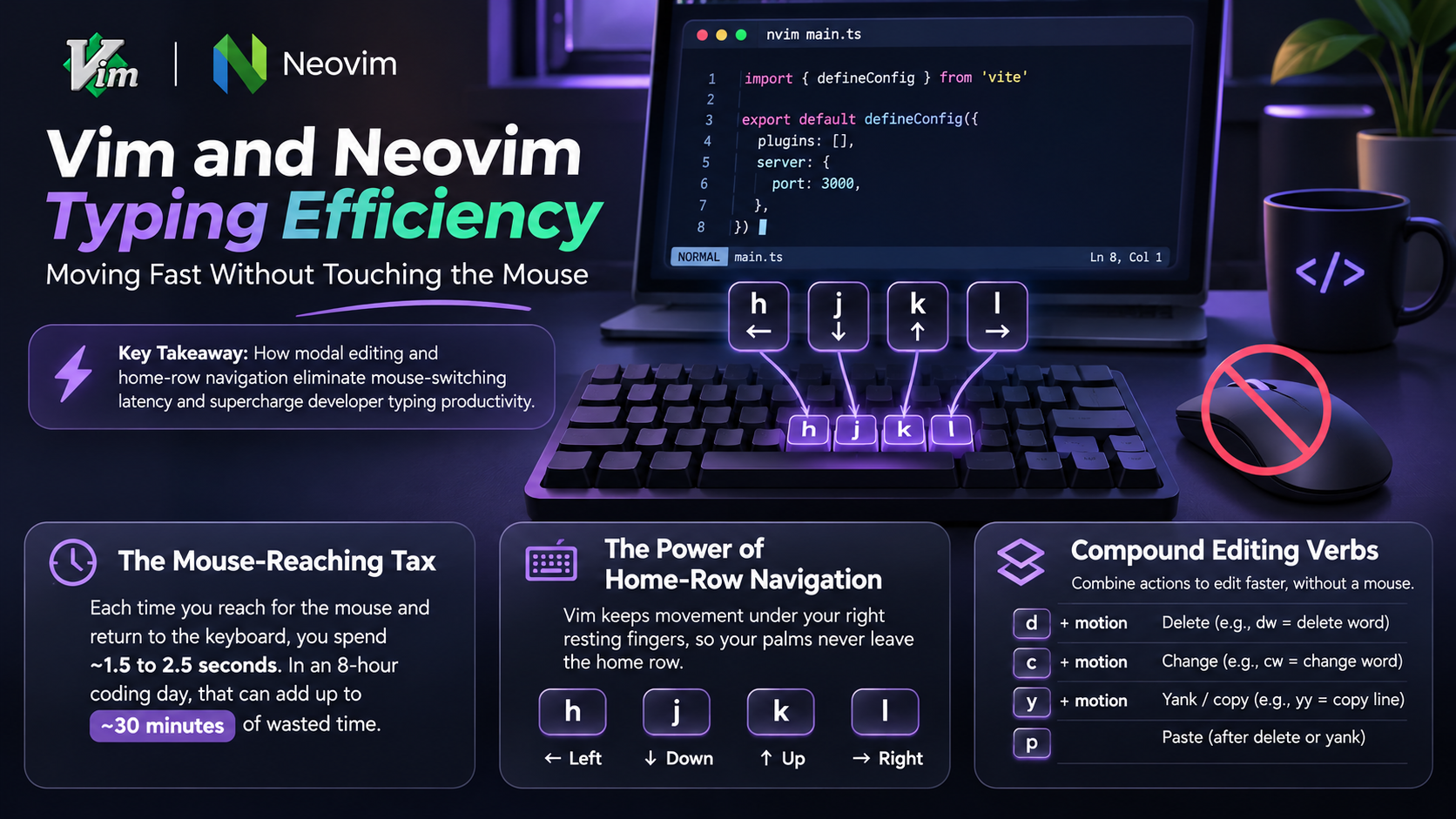
Table of Contents
- The Mouse-Reaching Tax
- The Power of Home-Row Navigation
- Compound Editing Verbs
The Mouse-Reaching Tax
Whenever you take your right hand off the keyboard to grab your mouse, highlight a variable, and return your hand to the home row, you spend approximately 1.5 to 2.5 seconds. In an active 8-hour coding day, an engineer repeats this movement 600 to 1,000 times, wasting up to 30 minutes in physical transit alone.
Modal text editors like Vim and Neovim solve this by turning every alphanumeric key into a command when in Normal mode.
The Power of Home-Row Navigation
Instead of reaching down to arrow keys, Vim places directional movement directly under your right resting fingers:
h = Leftj = Downk = Upl = RightYour palms remain planted on the home row, allowing immediate transitions between navigation and code entry.
Compound Editing Verbs
Vim edits combine verbs, modifiers, and text objects:
ci": Change inside double quotes (deletes string contents and enters insert mode instantly).da(: Delete a complete function argument block including enclosing parentheses.yyp: Duplicate a line without touching clipboard shortcuts.Practicing code typing on KridhaType builds the finger agility needed to execute these compound commands smoothly without pausing to think about key locations.
Sujal Kumar Soni
Founder & AuthorCreator and lead engineer of Kridha Type. Passionate about developer tooling, high-velocity typing mechanics, and helping engineers reach their peak cognitive flow state.
Put These Techniques to the Test
Track your exact words per minute, keystroke latency, and code accuracy on Kridha Type.
Recommended Reading
How to Increase Typing Speed for Coders: 10 Science-Backed Methods
Master touch typing tailored specifically for developers. Learn how practicing real JavaScript, React, and Python syntax builds muscle memory faster than generic dictionary tests.
Why WPM and Accuracy Matter for Software Engineers in 2026
Why typing rhythm directly impacts your cognitive flow state during complex programming, code reviews, and live technical interviews.
Mastering Special Symbols and Brackets in JavaScript and React JSX
Drill exercises for error-prone syntax symbols like curly braces, arrow functions, semicolons, triple equals, square brackets, and JSX props to eliminate typing bottlenecks.