Why Looking at the Keyboard Slows You Down and How to Stop in 14 Days
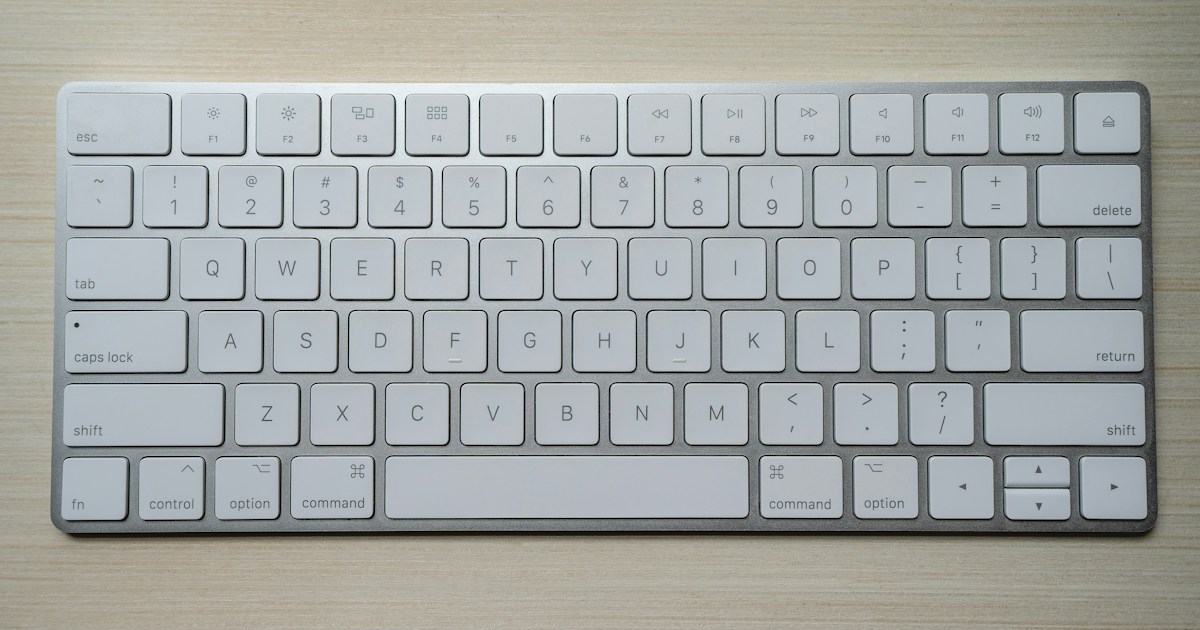
Table of Contents
- The Latency Cost of Head Bobbing
- Finding the F and J Homemarkers
- The 14-Day Blind Touch Typing Protocol
The Latency Cost of Head Bobbing
Whenever you look down at your keyboard to locate a key, your eyes take approximately 180 to 250 milliseconds to re-focus on the keycaps, and another 200 milliseconds to scan back up and find your cursor position on screen.
Over a 500-word typing test, glancing down 40 times wastes nearly 18 full seconds purely in head and eye repositioning.
Finding the F and J Homemarkers
Look closely at your keyboard: the F and J keys have small raised plastic ridges or deep dish scoops. These tactile landmarks exist so your index fingers can locate their home anchors entirely by touch.
Whenever your hands sit on the keyboard:
ASDF underneath the left fingers).JKL; underneath the right fingers).The 14-Day Blind Touch Typing Protocol
Days 1 to 4: The Physical Blindfold
Place a clean towel, a folder, or a sheet of paper over your wrists and hands while taking beginner lessons on KridhaType. When glancing down yields no visual feedback, your brain is forced to rely on tactile finger proprioception.
Days 5 to 9: Error Acceptance Without Peeking
When you hit a wrong key, resist the urge to pull away your hand covering. Feel your way back to the F and J homemarkers, reach out again with the correct finger, and complete the word.
Days 10 to 14: Screen Fixation Drills
Focus your gaze strictly on the active word highlight on screen. Practice for 15 minutes twice daily. By day 14, looking down will feel noticeably awkward and unnecessary.
Sujal Kumar Soni
Founder & AuthorCreator and lead engineer of Kridha Type. Passionate about developer tooling, high-velocity typing mechanics, and helping engineers reach their peak cognitive flow state.
Put These Techniques to the Test
Track your exact words per minute, keystroke latency, and code accuracy on Kridha Type.
Recommended Reading
How to Increase Typing Speed for Coders: 10 Science-Backed Methods
Master touch typing tailored specifically for developers. Learn how practicing real JavaScript, React, and Python syntax builds muscle memory faster than generic dictionary tests.
Why WPM and Accuracy Matter for Software Engineers in 2026
Why typing rhythm directly impacts your cognitive flow state during complex programming, code reviews, and live technical interviews.
Mastering Special Symbols and Brackets in JavaScript and React JSX
Drill exercises for error-prone syntax symbols like curly braces, arrow functions, semicolons, triple equals, square brackets, and JSX props to eliminate typing bottlenecks.